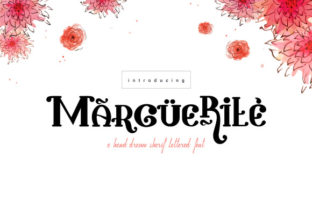
Marguerite: A Versatile Tool for Creators
What Marguerite Is
Marguerite is a flexible platform designed to simplify creative and professional workflows. At its core, it helps users generate, organize, and refine content or visual assets without requiring deep technical expertise. Whether you are drafting a blog post, designing social media graphics, building a presentation, or planning a project, Marguerite offers a streamlined environment where ideas can move from concept to completion with fewer friction points.
The tool combines a clean interface with modular features that adapt to different tasks. You can start with a blank canvas or choose from templates, then layer in text, images, data, or interactive elements. Marguerite also supports collaboration, making it easy to share drafts, collect feedback, and iterate in real time. For those who value speed, the platform includes automation shortcuts for repetitive tasks. For those who prioritize control, it offers granular settings to adjust every detail.
What sets Marguerite apart is its emphasis on adaptability. Instead of locking users into a single workflow, it lets you decide how much structure or freedom you want. This makes it relevant for a wide range of activities, from personal projects to client work to classroom assignments.
Why Marguerite Matters for Different Audiences
Understanding whether a tool fits your life requires looking at how it serves your specific context. Marguerite is not a one-size-fits-all solution, but its design intentionally supports multiple use cases. Here is how different groups might approach it.
For Beginners and Hobbyists
If you are new to content creation or project planning, the main question is usually about ease of use. Can you open the tool and make something useful within your first session? Marguerite addresses this with a gentle learning curve. The interface avoids clutter, and the template library covers common starter projects like newsletters, event flyers, simple websites, or personal budgets.
A hobbyist photographer, for example, could use Marguerite to build a quick portfolio page without coding. A parent organizing a family reunion could create a shared schedule and invitation. The cost matters here too. Marguerite offers a free tier that covers enough functionality for occasional use. Beginners can test the platform on small projects before deciding whether to upgrade.
For this group, the priority is feeling capable rather than overwhelmed. Marguerite provides visual cues, tooltips, and a help center that uses plain language. If you have ever abandoned a tool because it required too much setup, Marguerite may feel refreshingly approachable.
For Creators and Designers
Experienced creators need flexibility and creative control. Marguerite delivers this through customizable asset libraries, layer management, and export options that preserve quality. A graphic designer working on social media assets for multiple clients can create branded templates, save color palettes, and reuse layouts across projects.
A content creator producing videos or podcasts could use Marguerite to design thumbnails, episode cards, or show notes. The platform supports high-resolution output and integrates with other tools in a typical creator stack. Speed matters here: when you are on a deadline, being able to duplicate a project and swap out content saves hours.
Quality is non-negotiable for this audience. Marguerite uses vector-based editing for crisp scaling and supports color profiles suitable for print or screen. If you have been frustrated by tools that compress your work or limit your design choices, Marguerite gives you the range to execute professional-looking results while still keeping the workflow efficient.
For Professionals and Entrepreneurs
Business owners, freelancers, and managers evaluate tools based on reliability, commercial value, and long-term usefulness. Marguerite shines here with features like team collaboration, version history, and export formats that work across marketing, sales, and internal communication channels.
A small business owner could use Marguerite to create product catalogs, pricing sheets, or client proposals that look consistent with their brand identity. A freelancer might build a portfolio, generate invoices, and draft client case studies all within the same platform. The ability to export as PDF, PNG, or web-ready HTML ensures the output fits different contexts without needing extra software.
For professionals, cost is evaluated against time saved. If Marguerite reduces the need to switch between four different applications, the subscription price often justifies itself. The platform also includes analytics for shared projects, so you can see who viewed or commented on your work. This accountability matters when managing remote teams or client reviews.
Long-term usefulness comes from Marguerite's update cycle. The tool regularly adds features based on user requests, so your workflows can evolve rather than stagnate. Entrepreneurs who invest time learning the platform early often find it becomes more valuable as their needs grow.
For Educators and Marketers
Educators need clarity, presentation quality, and tools that support learning objectives. Marguerite helps instructors create lesson handouts, visual aids, or interactive study guides. A teacher explaining a complex concept could build a diagram with annotations and share it with students who can then zoom or rearrange elements. The collaborative feature allows group projects where students contribute without needing separate accounts.
Marketers, on the other hand, prioritize speed and consistency. Launching a campaign often requires dozens of assets in a short timeframe. Marguerite allows a marketer to build a master template and then generate variations for different channels: a square version for Instagram, a landscape version for LinkedIn, and a banner for email headers. The platform supports direct publishing to some social media platforms, cutting down the download-and-upload cycle.
Both educators and marketers benefit from Marguerite's presentation tools. You can build slides, infographics, or reports that look polished without needing a dedicated design team. For these users, the tool is not about unlimited creative exploration but about dependable, repeatable output that communicates clearly.
How to Evaluate Whether Marguerite Fits Your Needs
Choosing a tool involves balancing your current priorities with where you want to go. Here are several criteria to consider when deciding if Marguerite is right for you.
- Ease of use vs. depth of features: Beginners should check whether the free tier allows meaningful projects. Advanced users should explore the customization options and integrations. If you need both simplicity and power, Marguerite's tiered approach lets you start small and expand.
- Cost vs. value: Compare monthly or annual pricing with your current tool stack. If Marguerite replaces one or two subscriptions, it may save money. For hobbyists, the free version may be sufficient. For businesses, the team plan often includes admin controls and priority support that justify the expense.
- Project type and output needs: Consider what you actually produce. If you primarily write text documents, Marguerite may feel overbuilt. If you produce visual content with some text, it is a strong fit. If you need interactive or data-heavy outputs, check whether Marguerite supports embedding charts or linking to live data sources.
- Learning investment: Some tools require weeks to master. Marguerite is designed to be usable within a single session, but mastering its advanced features may take a few projects. Think about how much time you are willing to invest before you expect fluent use.
- Long-term relevance: Look at the platform's update history and community. Marguerite has a public roadmap and an active user forum. Tools that stagnate become liabilities. A growing platform with responsive development tends to offer better long-term value.
Long-Term Value and Practical Considerations
When you invest time in learning a tool, you want confidence that it will remain useful as your skills and projects evolve. Marguerite's design philosophy centers on adaptability rather than obsolescence. The platform supports importing and exporting industry-standard formats, which reduces lock-in. You can move your work to other tools if needed, making Marguerite a flexible choice for professionals who value portability.
Reliability is another factor. Marguerite offers offline access through a desktop app, so you are not dependent on internet connectivity for basic editing. Automatic saving and version history protect against data loss. For creators and business owners, these features reduce risk during high-stakes projects.
Finally, consider the community and support ecosystem. Marguerite provides documentation, video tutorials, and a responsive help desk. For advanced users, there are community-contributed plugins and templates that extend functionality. This kind of ecosystem can accelerate your learning and inspire new ways to use the tool.
Whether you are a beginner testing the waters or a professional managing multiple projects, Marguerite offers a balanced mix of accessibility and depth. The key is to align its strengths with your specific needs. If you value a tool that grows with you rather than limits you, Marguerite is worth exploring on a real project to see how it performs under your own working conditions.